Automation
Ruby POP3 + Open3 + Git: email-driven automation

Email can be a reliable trigger when API access is limited. With Ruby Net::POP3 and Open3, you can pull messages, run Linux command line tools safely, and version outputs with git. This pattern is ideal for controlled automation inside private environments.
1. Define a safe inbox contract
Create a dedicated mailbox and a stable message format. Use a strict subject prefix, known attachment type, and a JSON or YAML payload in the body. Deterministic parsing is your first line of defense.
2. Fetch with POP3 over TLS
Net::POP3 supports SSL/TLS. Configure the client before connecting, then iterate through messages and store each unique ID to avoid reprocessing.
require "net/pop"
require "openssl"

host = ENV.fetch("POP3_HOST")
user = ENV.fetch("POP3_USER")
pass = ENV.fetch("POP3_PASS")
port = 995

pop = Net::POP3.new(host, port)
pop.enable_ssl(OpenSSL::SSL::VERIFY_PEER)

pop.start(user, pass) do |session|
  session.each_mail do |mail|
    id = mail.unique_id
    raw = mail.pop
    # parse, persist, and record id
  end
end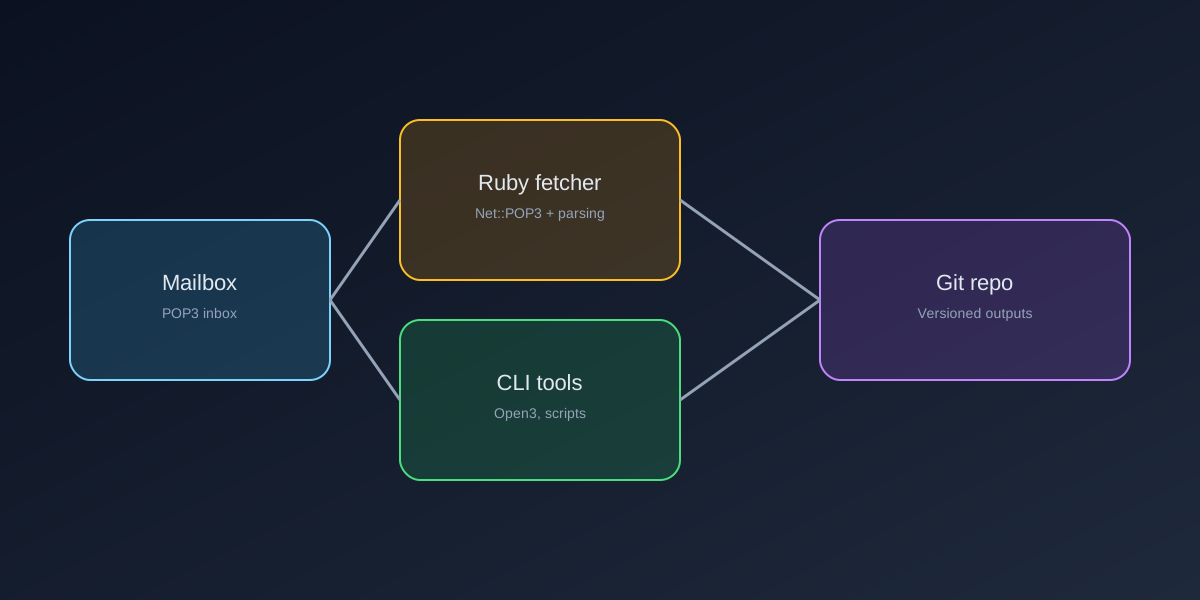
3. Use Open3 for Linux commands
Open3 provides process control and captures stdout, stderr, and exit status. Use argument arrays to avoid shell injection and to keep command parsing explicit.
require "open3"

repo_path = "/srv/inbox-repo"

stdout, stderr, status = Open3.capture3("git", "status", "--porcelain", chdir: repo_path)
raise "git status failed: #{stderr}" unless status.success?

Open3.capture3("git", "add", ".", chdir: repo_path)
Open3.capture3("git", "commit", "-m", "ingest inbox payload", chdir: repo_path)
4. Stream output when needed
For long-running tools, use Open3.popen3 to stream logs and surface progress to your monitoring system.
Open3.popen3("/usr/bin/bash", "-lc", "make build", chdir: repo_path) do |stdin, stdout, stderr, wait|
  stdin.close
  stdout.each_line { |line| puts line }
  stderr.each_line { |line| warn line }
  raise "build failed" unless wait.value.success?
end
5. Make the pipeline idempotent
- Store each POP3 unique ID and skip if already processed.
- Write outputs to a staging folder, then move into the repo.
- Tag commits with the message ID for traceability.
- Keep a dead-letter queue for parsing errors.
6. Operational guardrails
- Run the worker under a dedicated system user.
- Keep secrets in a vault or environment variables, not code.
- Log each message ID and git SHA for auditability.
- Use a cron or systemd timer for predictable scheduling.
How Pipeline-e helps
We build reliable automations that connect legacy inputs with modern delivery. If you need a secure pipeline from inbox to repo, we can design the workflow and ship the tooling.
Need automation help?
Tell us about your workflow.
We can help you design a secure pipeline with logs, backups, and reliable delivery.